MIDI rig automation
📚 Library → 🎛 MIDI Rig makes your modeller, synth or multi-FX change presets in time with the song, so nobody is tap-dancing between parts.
Needs Chrome or Edge — it sends MIDI straight from the browser (Web MIDI).
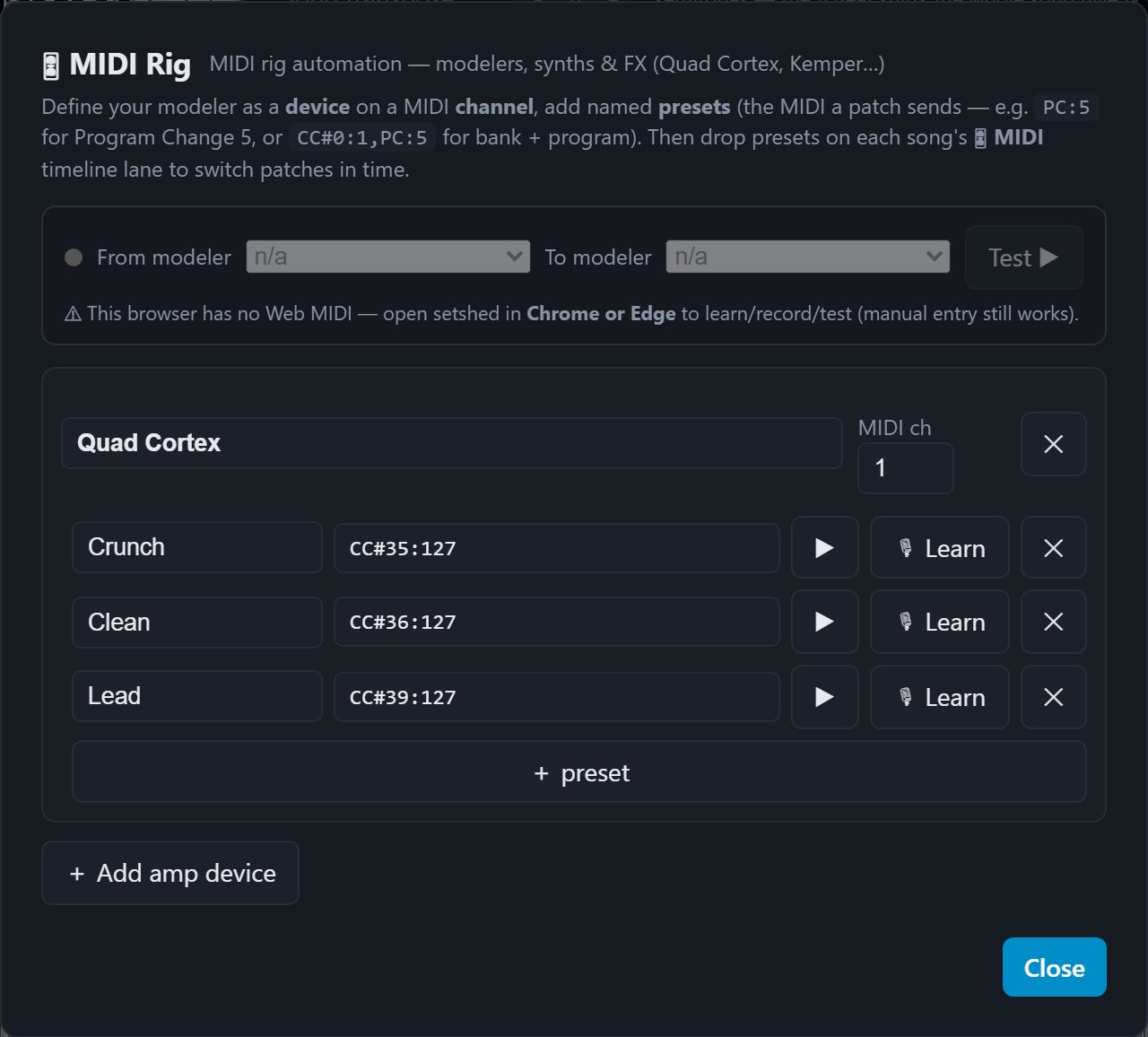
Set up your devices
- Add a device — a name and the MIDI channel it listens on.
- Save presets for it: a Program Change number, plus any CCs you want sent with it. Name them the way you think of them (Clean verse, Lead, Chorus wash).
Presets are library-wide, so you build your rig once and use it across every song.
Automate a song
Open a song and use the MIDI lane under the marker lane:
- Right-click the lane to drop a patch change at that moment.
- Drag a cue to move it; the grid keeps it on the beat.
- Each cue picks a device and one of its presets.
Play the song and setshed fires the cues live as the playhead passes them — so you can hear the switch land in the right place before you ever take it to a gig.
On stage
Cues travel with the song to the B.Beat, where the device sends them from its own MIDI output. Build and rehearse in setshed; the unit performs it.