Versions & restoring
Every Save version… is kept. Nothing a bandmate saves ever overwrites what came before — each save is a new version, and the audio from earlier ones stays in storage.
That matters for one job in particular: undoing a specific mistake without losing everyone else's work.
Restore one song
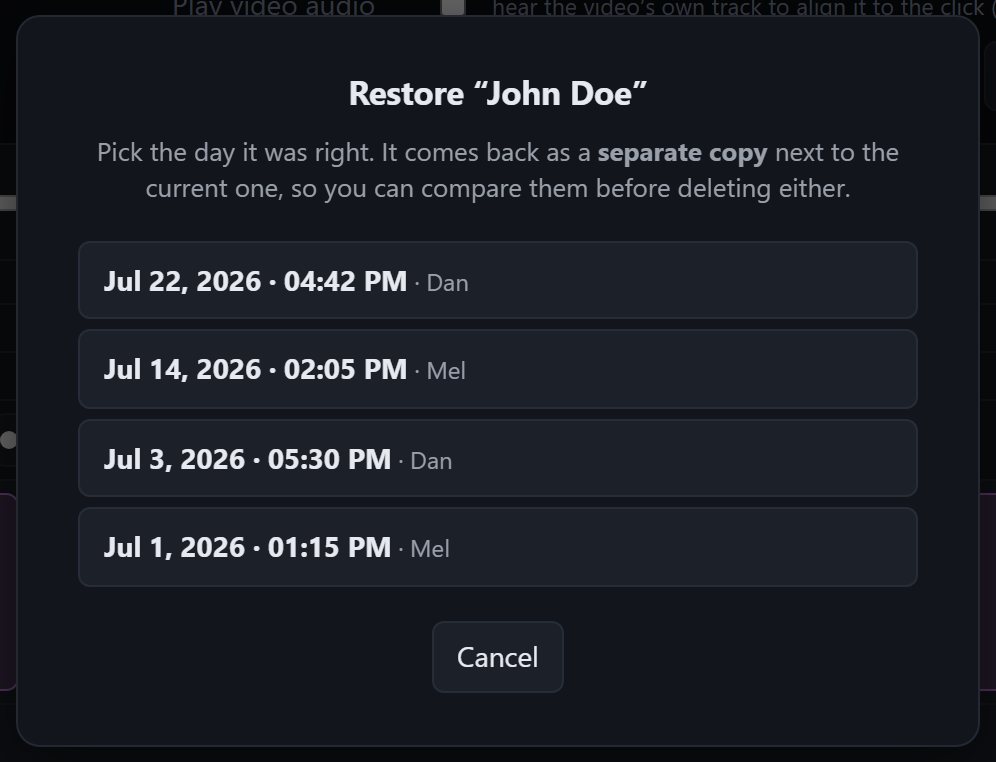
Right-click a song → ↺ Restore an earlier version…
You'll see the dates that song actually changed — not every save the band ever made, only the ones where this song was different. Pick the day it was right.
What happens:
- The song is rebuilt from that version's audio and lands beside the current one, renamed (e.g. Wagon Wheel (restored 3 Aug)).
- Nothing else in the library moves. Other songs, setlists, other people's work: untouched.
- It arrives as a staged edit. Compare the two versions, delete the one you don't want, then Save version… to keep the change.
Because the restore is itself a normal save, undoing a restore is just another restore. There's no way to paint yourself into a corner.
Why there's no whole-library rewind
A band's library is cumulative — you add songs and refine mixes; there's no "release" to roll back to. Rewinding everything to fix one song would throw away every unrelated improvement made since, which is why we don't offer it as a self-serve button.
If something catastrophic happens — a bad import, a save that went wrong — contact us. The data is all there and we can put the whole library back to any point. It's rare enough, and serious enough, to want a human involved.
What this costs you
Nothing. Storage is billed on your current library, not its history. Because saves are content-addressed, keeping every version costs about 5% extra behind the scenes — and we absorb it.