The Shed — your band's idea space
🛖 Shed is where ideas live before they're songs. Two tabs: Riffs and Lyrics.
Recording a riff
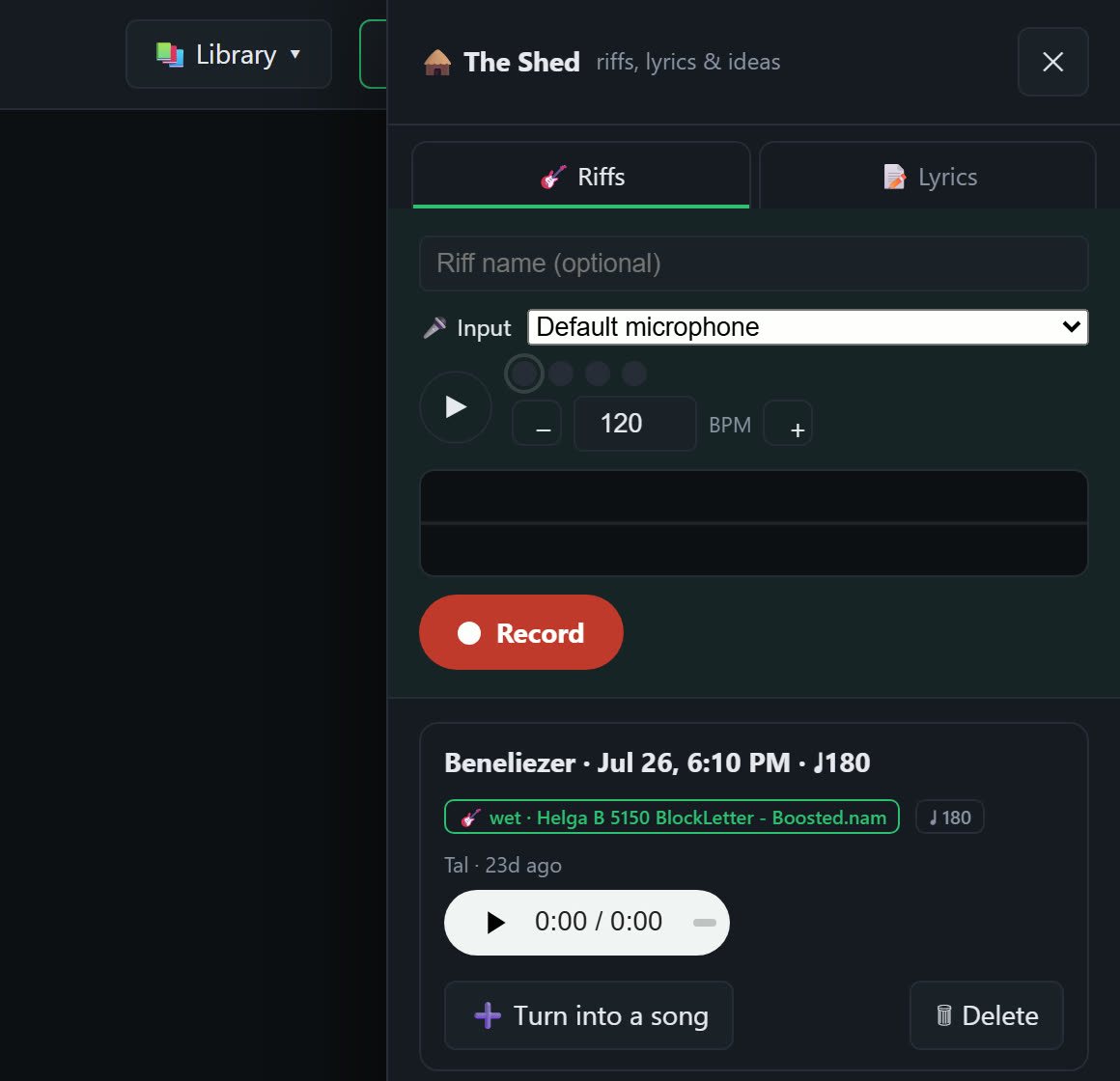
- Pick your input and set a BPM — there's a built-in metronome so the idea arrives in time. Tick Count-in next to the metronome and you get one bar at that BPM before the recording starts; the Record button reads Cancel during the count if you change your mind.
- Record. Watch the waveform as you play; a countdown shows the time you have left.
- Keep it or bin it.
Two ways to record:
- Dry — straight from your microphone or interface, in the browser. Nothing to install.
- Wet — through your live amp tone, so the idea keeps the sound you had in your hands when you found it. Needs the desktop agent; the take is labelled with the capture it used (e.g. wet · 5150 BlockLetter) so you know months later how it was made.
Takes are yours until you say otherwise
Recordings stay on your machine while you're working. Play them back, keep the good ones, throw away the false starts — and when you're done, the band gets one notification, not one per take. Nobody watches you fumble through nine attempts.
Finding and playing riffs
Filter chips across the top narrow the list: All, Mine, Wet, Dry and Unfiled (riffs not yet attached to a song). Every riff has its own player with play/pause, a seek bar and the time. A riff filed under a song carries a song badge; click it to open that song.
The … menu on each riff holds Attach to a song…, Detach from song and Download.
Turn a riff into a song
+ Turn into a song promotes a riff to a real song in the library, with a click track generated at the riff's tempo so it's ready to build on. The riff becomes the first stem. If the song already exists, use … → Attach to a song… instead to file the riff under it.
Lyrics scratchpad
A shared notepad for words with no home yet. + New starts a lyric, Import file brings in .txt, PDF or Word, and everything auto-saves as you type, with a live N lines · N words count. Copy puts the text on your clipboard.
When the song exists, Use in a song ▾ pushes the words into that song's teleprompter, replacing its lines. They arrive untimed; open the song's lyric editor and use Sync mode to time them to the music (see Lyrics).